
Write your own indicators and strategies.
The built-in OakScript editor sits under the chart. Write an indicator, a strategy or an alert condition, add it to the chart, and your script works like the built-in ones.
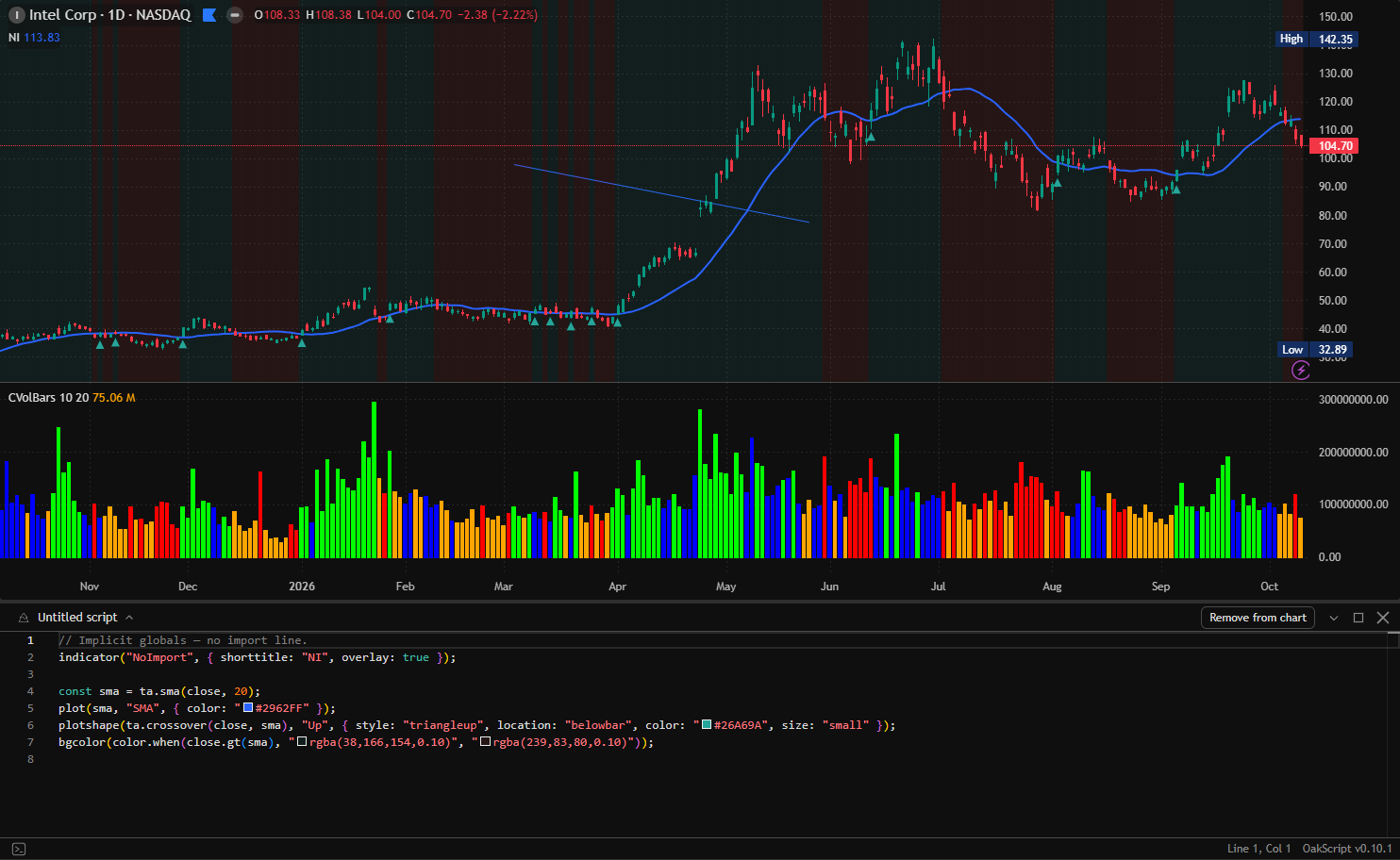
A real editor, next to your chart
OakScript is JavaScript with series maths, technical analysis functions, plots and strategy orders. If you have written a script for a chart before, it will feel familiar.
Autocomplete and help
The editor completes function names and shows their parameters as you type. Errors show the line and column.
Indicators
Plot lines, histograms, shapes and colours on the price or in a new pane, with inputs the user can change.
Strategies
Place orders in your script, then run it in the strategy tester with commission, slippage and position sizing.
Alert conditions
Declare conditions in the script and set alerts on them from the chart.
Screen with your script
Run your indicator over an index or a watchlist in the script screener.
Learn from the built-ins
Open the source of a built-in indicator, make a copy and change it.
Import, export, share
Import and export .js or .ts files, and share a script on OpenTrader Community.
With a coding agent
Let a coding agent write and test scripts for you through the app's built-in MCP server.
Questions
Which language are scripts written in?
OakScript, which is JavaScript or TypeScript with a library for series, technical analysis, plots and orders.
Can I use OakScript outside the app?
Yes. The engine is the open-source oakscriptjs library, on npm.
Are my scripts saved?
Yes. The editor saves as you type, and Ctrl + S saves at once.
Everything else in the app
Try it. It takes a minute.
Free for Windows, macOS and Linux. Or open the demo in your browser.